Overview
 GPU Inference Management
Deploy, serve, and manage LLMs across your GPU cluster
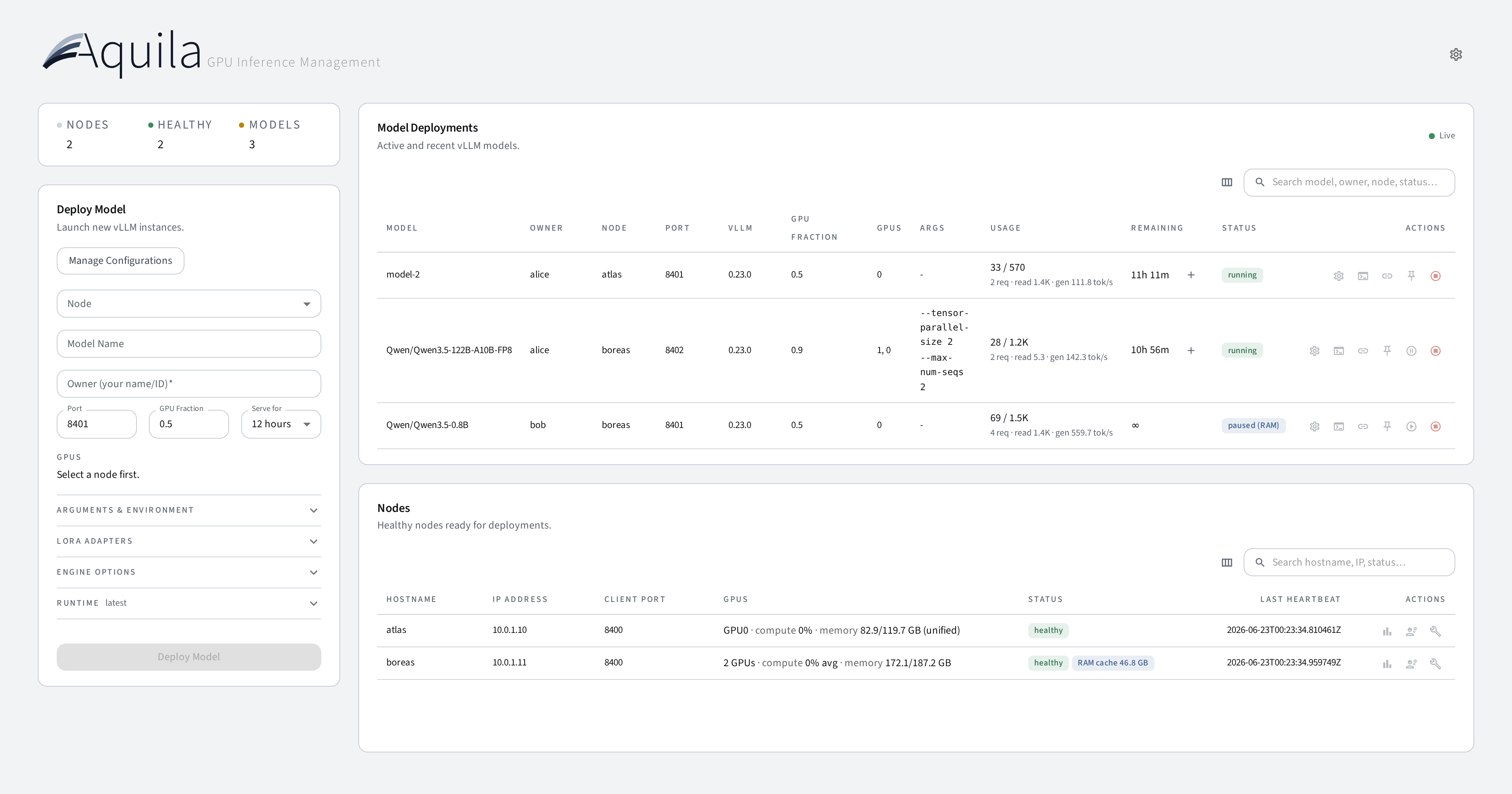
Aquila gives you a single control plane for multi-node vLLM inference. Point-and-click deployments, an OpenAI-compatible gateway with API key auth, warm caching that parks idle models in RAM, live GPU monitoring, and a full deployment lifecycle — without Kubernetes or a managed platform.
Best for
- Research labs and university clusters
- Teams sharing GPUs across projects
- Self-hosted multi-model inference
Built-in
- OpenAI-compatible gateway & API keys
- Warm cache (GPU ↔ RAM offloading)
- LoRA, checkpoints, and version pinning
What you can do
- Register and manage GPU nodes that run vLLM workloads — via Docker or rootless Podman, selectable per node.
- Deploy models with a specific vLLM version, nightly build, or commit hash — each runs in the matching official
vllm/vllm-openaicontainer. - Serve Hugging Face hub models, local fine-tuned checkpoints, and LoRA adapters — upload checkpoints from the browser (streamed) or pull them from a URL directly onto a node.
- Reach every model through one OpenAI-compatible gateway URL that is stable across node moves — or talk to nodes directly.
- Track per-deployment usage from vLLM's own metrics: lifetime tokens, request counts, and average read (prefill) / generation speeds measured over actual processing time — idle phases never dilute them.
- Export a reproducibility manifest per deployment (model, HF revision, seed, vLLM version, image digest, full config) and redeploy from it.
- Get Slack/webhook notifications when deployments become ready, fail, or are about to expire — and extend running deployments without a restart.
- Install extra pip packages and upload vLLM plugins (
.py,.whl) per deployment. - Select GPUs with toggle buttons and configure tensor parallelism.
- Save and reload deployment configurations for one-click redeployment.
- Tune the cluster live from the Settings dialog: gateway on/off, timeouts, notification webhook, deploy-form defaults, data retention, and granular purge — no restarts.
- Monitor node health, GPU utilization, disk usage, and deployment status in real time, with 48-hour metric history charts.
- Put nodes into maintenance mode (optionally draining their deployments) for safe servicing.
- Stream timestamped logs from running processes — the full per-run log is persisted on the node (monitoring noise filtered) and downloadable — with classified failure causes and crash-loop protection.
- Pause idle models to RAM and resume them on demand — the warm cache frees GPU VRAM while keeping weights ready for near-instant restart, with LRU auto-eviction, busy guards, and per-deployment pinning.
- Protect the gateway with API keys — permanent keys with optional per-deployment scoping, plus auto-expiring snippet keys for the Endpoint dialog.
- Cordon individual GPUs for per-GPU maintenance — partial maintenance excludes specific GPUs from new deployments while the rest of the node keeps serving.
- Automatic deployment recovery after backend restarts; schema migrations run automatically on upgrade.
Supported platforms
- Python 3.10–3.14, Node.js ≥ 23 (host only)
- Ubuntu 22.04 and 24.04
- NVIDIA GPUs (H100, A100, L40, RTX 4090, DGX Spark)
Tip
New here? Start with the Getting Started guide, then review the Deployments page for version selection and configuration options.