vLLM Cluster Manager
Operate multi-node vLLM deployments
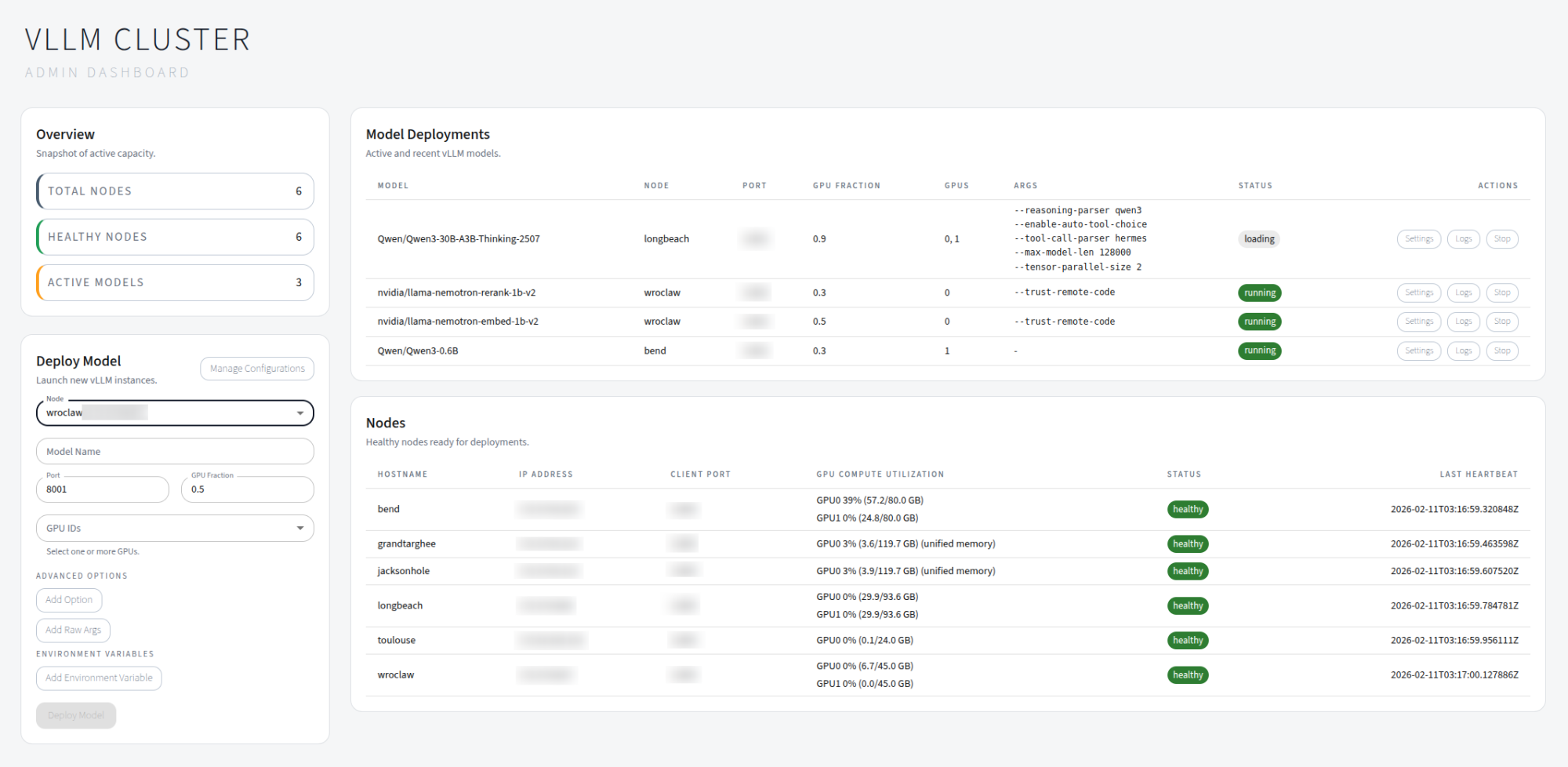
Spin up a host with a web dashboard, then add GPU nodes with the client agent. The UI lets you launch, monitor, and troubleshoot model deployments without building a full MLOps stack.
Best for
- Research labs
- Small teams
- Multi-model serving
Built-in
- Service discovery
- Web UI
- Systemd support
What you can do
- Register and manage GPU nodes that run vLLM workloads.
- Deploy models with a specific vLLM version, nightly build, or commit hash — each deployment gets its own isolated venv.
- Install extra pip packages and upload vLLM plugins (
.py,.whl) per deployment. - Select GPUs with toggle buttons and configure tensor parallelism.
- Save and reload deployment configurations for one-click redeployment.
- Monitor node health, GPU utilization, and deployment status in real time.
- Stream logs from running processes for quick troubleshooting.
- Automatic deployment recovery after backend restarts.
Supported platforms
- Python 3.10–3.14
- Ubuntu 22.04 and 24.04
- NVIDIA GPUs (H100, A100, L40, RTX 4090, DGX Spark)
Tip
New here? Start with the Getting Started guide, then review the Deployments page for version selection and configuration options.